
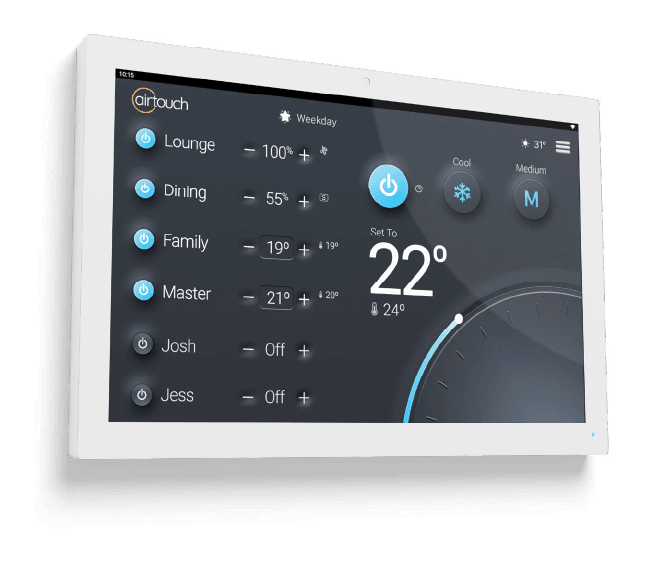
What is a smart thermostat for an air conditioner?
A smart thermostat is a connected controller that lets you adjust your cooling from a phone app, set schedules and automate settings. In the US it is usually a wall thermostat; in Australia, ducted systems use a wall-mounted zone controller and split systems use the manufacturer’s Wi-Fi module and app, which do the same job.
Smart technology has changed how we manage comfort and energy at home. A smart controller goes well beyond the old on-off remote, helping you cool when and where you need to and use less power. Below are the benefits, the features worth having, and tips to get the most from one.
What are the advantages of smart thermostats?
The main advantages are remote access from anywhere, better energy efficiency through schedules and zoning, integration with other smart home devices, automatic adjustments based on your patterns, and insight into how and when the system runs.
Remote access
With a smartphone app you can turn the system on, off or adjust it from anywhere with an internet connection. Start cooling on the way home from work so the house is comfortable when you arrive, or switch off a system you forgot to turn off when you left for the beach.
Energy efficiency
Schedules, timers and zone control let you match cooling to your routine instead of leaving the system running all day. On a ducted system, switching off zones for rooms nobody is using is one of the biggest savings available. Less needless running means lower bills and less wear on the equipment.
Integration with smart home systems
Many controllers work with voice assistants and home automation platforms, so you can include the air conditioning in routines with lights, blinds and security. Integration options vary by brand and model, so check the manufacturer’s current list before you buy if this matters to you.
Learning capabilities
Some smart controllers learn your temperature preferences and routines over time and adjust automatically. Even without learning features, a well-set schedule achieves most of the same result: the house is comfortable when you are home and the system rests when you are not.
Energy usage insights
Some apps show run hours, history or energy use. Seeing when the system runs, and for how long, helps you spot waste, such as a zone left on overnight, and make better decisions about settings.
How do you get the most out of a smart thermostat?
Set up schedules that match your week, use geofencing or occupancy features where available, connect it to your other smart devices if that helps you, check the usage data now and then, and keep the app and firmware updated.
Program customised schedules
Create schedules for weekdays and weekends: bedrooms cool in the evening, living areas during the day, and the system off or at a higher setting while the house is empty. Use 25–27°C for cooling as a starting point.
Use geofencing and occupancy sensing
Where your controller supports it, geofencing uses your phone’s location to adjust the system as you leave and come home, and occupancy sensing does the same based on whether rooms are in use. Both help make sure you are not cooling an empty home.
Integrate with smart home devices
Combine the air conditioning with blinds, fans and lights in routines, for example closing west-facing blinds and starting cooling at 3pm on hot days. Keeping the sun out reduces the load on the system.
Monitor energy usage
Review the app’s history every so often. If a zone or system is running far more than expected, it may point to a setting to change or a fault worth checking, such as a dirty filter or a cooling problem.
Stay up to date with firmware updates
Keep the controller’s firmware and the app updated. Updates fix bugs, add features and close security gaps, which matters for any device connected to your home network.
Which smart controls do we install?
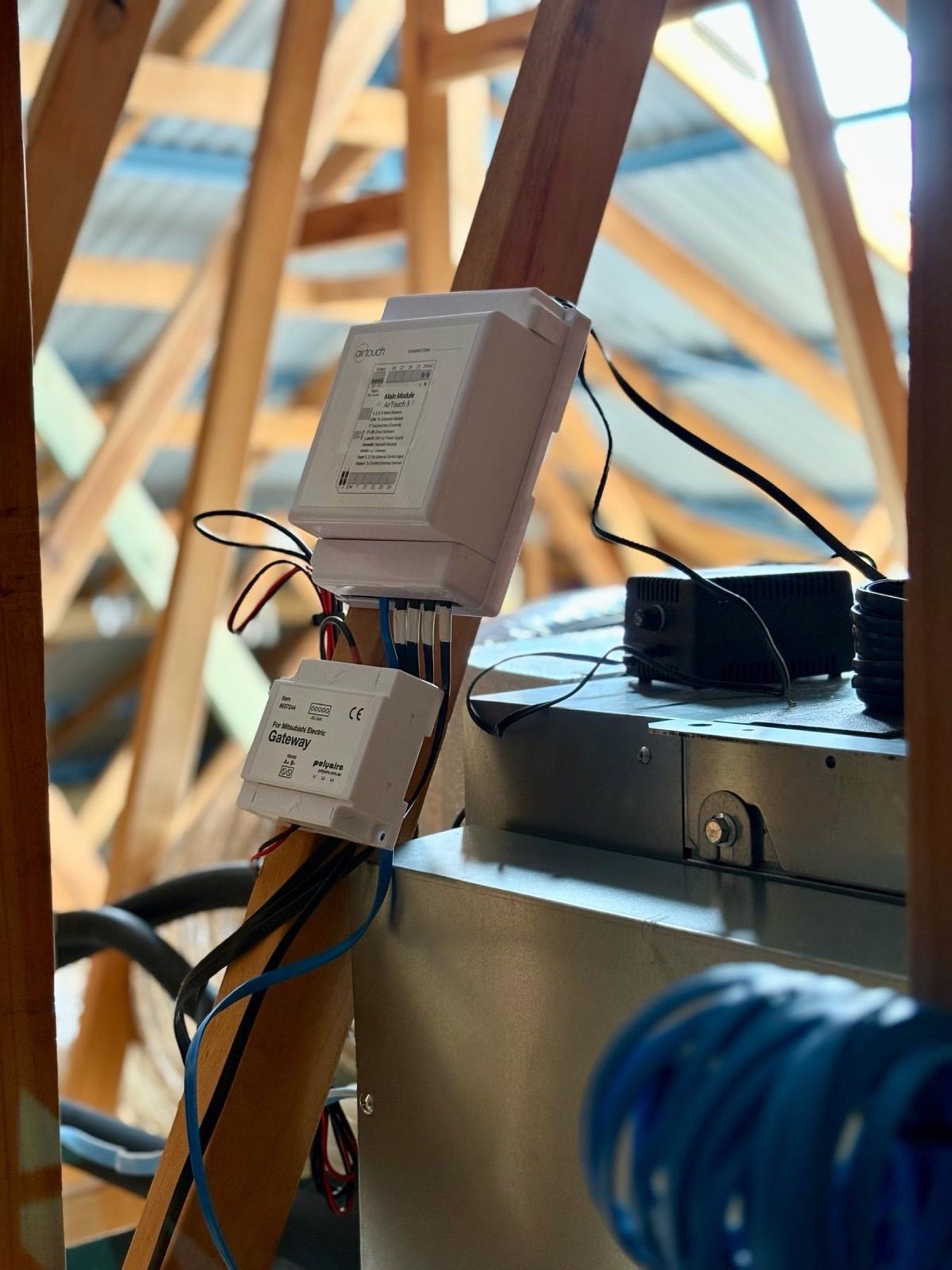
For ducted systems we fit ZoneTouch zone controllers and offer an upgrade to AirTouch 5, which adds app control and temperature control for each zone. Read our AirTouch 5 guide for how it works. For split systems we can set up the manufacturer’s Wi-Fi control on compatible models. See home automation for upgrades to existing systems.
What is the bottom line?
A smart controller gives you remote access, schedules, zoning and insight into how your system runs. Used well, it delivers comfort with less wasted energy and lower bills. If you would like one added to a new or existing system, ask us for a quote.